Paid app
MCC Tax 1040: a guided Form 1040 for 2025 and 2026 that stays on your computer
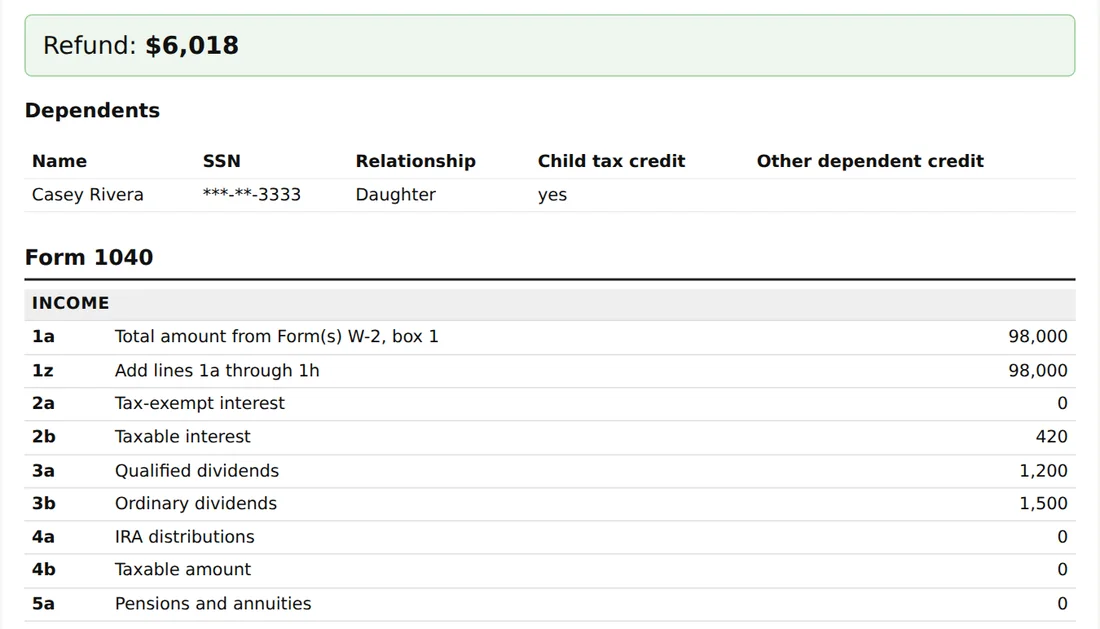
Work through your income, adjustments, deductions and payments in your browser, and get a completed Form 1040 with the schedules it supports, laid out line by line in the order of the IRS forms. It compares the standard deduction with itemizing and uses the larger unless you choose. You pick the tax year you are filing for, and each year keeps its own answers in a file on your computer, never sent to us. It does not e-file. You sign your own return and you are responsible for every amount on it.
Paid app
MCC Tax 1040 software
Buy this app on its own for $39, one time. No membership needed. It runs on your own computer and nothing you enter leaves it. Read how it works and the questions below first.
Members get this included. See the membership or sign in. Compare all three apps. Already bought it? Email me my access link.
What it looks like
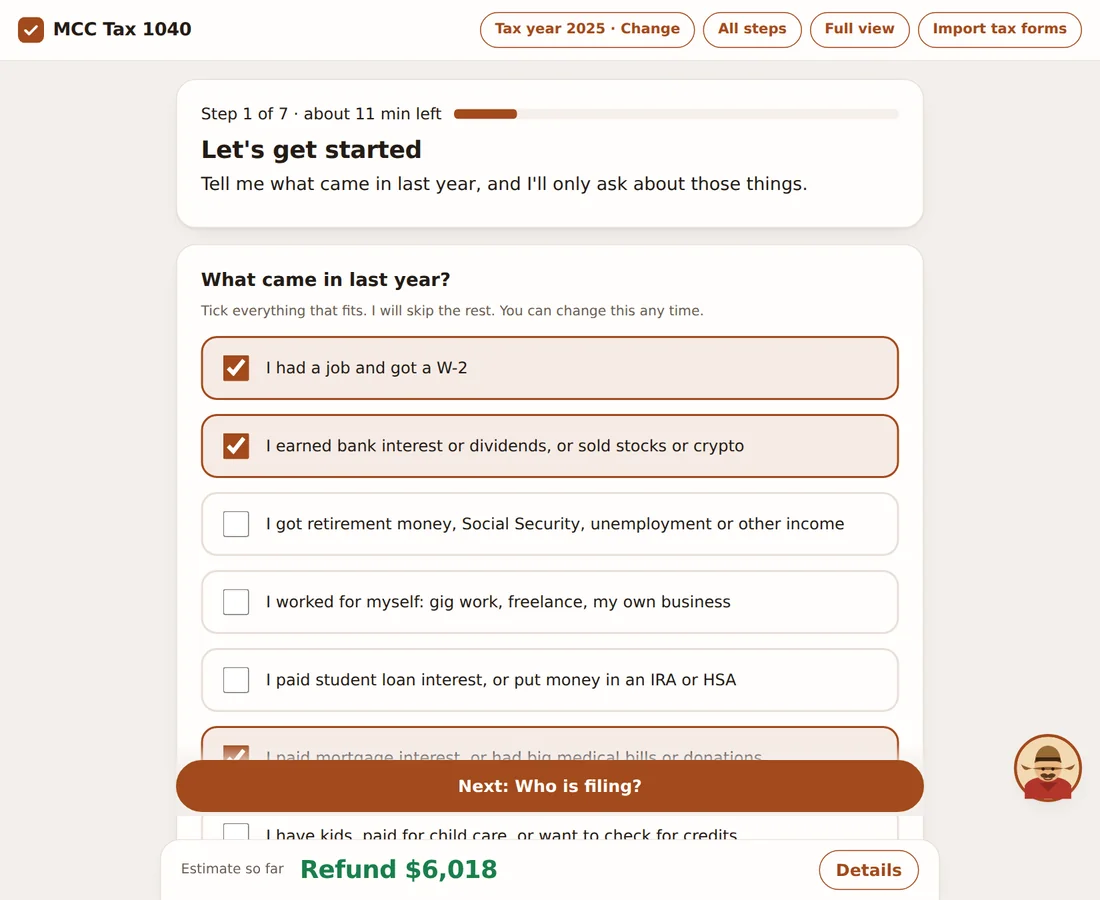
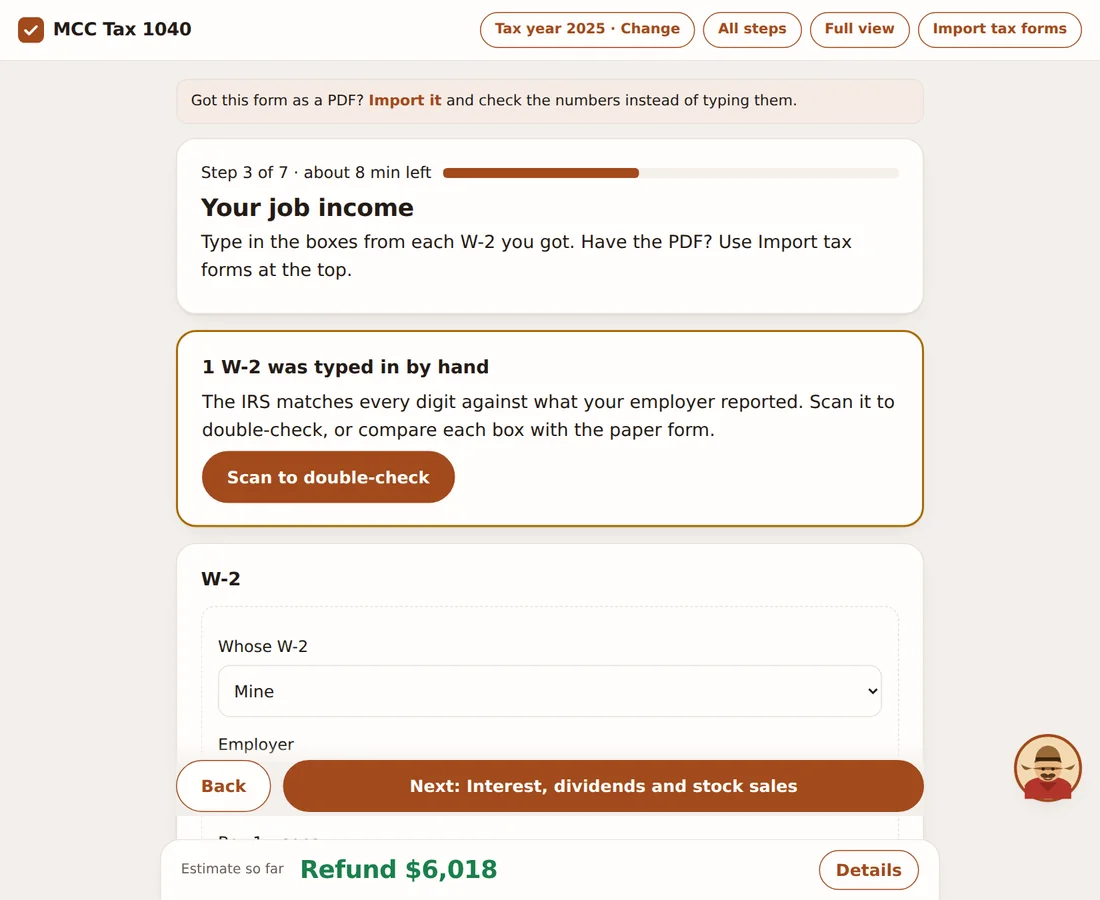
Screens from the 2025 edition, filled in with made-up sample data. Select one to open it full size.
What happens after you buy MCC Tax 1040
- Pay
Pay at checkout. Your access link is emailed to you and this page unlocks on the device you paid from.
- Download
One zip with a start file for Windows and one for Mac. Double-click it: it finds Python, offers to install it if needed, and opens the app in your browser.
- Answer
Tick what came in, then answer only those sections. Import W-2s and 1099s from PDFs if you have them, and check what it read before it is used.
- Print and sign
The finished return opens as a printable page you can save as a PDF. You sign and file it yourself. Nothing is e-filed or sent to us.
Your answers are saved in a file next to the app, one file per tax year. The app contacts us only to check for updates (it sends the app name, its version and your order code, and you can switch that off) and, if you scan a form, to fetch the text reader the first time.
Switching from another app? See plain comparisons, including when another product fits better.
How it works
How it works
It runs on your own computer and opens in your browser, reachable only from that machine. A short scope screen comes first: if your situation needs something the app does not handle, it tells you and marks the return not complete instead of guessing. Then you enter your filing status, dependents, W-2s, interest and dividends, stock, crypto and home sales (each sale with its dates and whether your cost was reported, wash sales, collectibles, small business stock and the sale of your main home, sorted onto Form 8949 and Schedule D with the 25 and 28 percent rates, the loss carryover and Form 4952 investment interest), rental property and royalties (Schedule E, the $25,000 allowance and its phase-out on Form 8582, Form 4562 depreciation with the half-year and mid-quarter tables, a home you also rent out, and the New Jersey and New York depreciation rules), farm income (Schedule F on the cash method) and equipment, vehicles and start-up costs for your business or farm (Form 4562 with section 179, bonus depreciation, the car and truck limits and the standard mileage rate), the limit on business losses (Form 461), net operating loss carryovers and the actual-cost home office (Form 8829), Schedule K-1 income from partnerships, S corporations, trusts and estates (the basis limit on losses, passive losses and the $25,000 allowance), the underpayment penalty (Form 2210) with the prior-year safe harbor, estimated tax by date and the farmers' rule, the saver's credit (Form 8880), the premium tax credit for Marketplace health insurance (Form 8962), the alternative minimum tax (Form 6251), the energy credits (home energy and its carryover on Form 5695, clean vehicles on Form 8936, home charging equipment on Form 8911), the adoption credit and employer adoption benefits (Form 8839), the credit for minimum tax paid in earlier years (Form 8801, from last year's Form 6251 or the credit you carried over), the credit for the elderly or the disabled (Schedule R), the tax on a child's investment income (Form 8615, the kiddie tax, at the parent's rate), unreported tips and misclassified pay (Forms 4137 and 8919), retirement and Social Security amounts (each Form 1099-R with its box 7 code, rollovers, Roth conversions, charitable transfers from an IRA, and the Simplified Method for pensions with after-tax money), unemployment and other income, and self-employment income and expenses. It figures Schedule 1 (additional income and adjustments, including student loan interest, the IRA deduction with its income phase-out, educator and health savings account deductions, with Form 8889 worked out for you), Form 8606 (nondeductible IRA basis, backdoor Roth conversions, Roth IRA withdrawals) and Form 5329 (the 10 percent early withdrawal tax and its exceptions, extra IRA and Roth contributions, missed required minimum distributions), Schedule 2 (self-employment tax, the additional Medicare tax, the net investment income tax, the 20 percent tax on health savings account money not spent on medical care), Schedule 3 with the American opportunity and lifetime learning credits (Form 8863, from the college costs and the student's answers), Schedule A (itemized deductions with the medical floor, the state and local tax limit and the mortgage and charity limits), Schedule B, Schedule C, Schedule D with the capital loss limit and carryover, Schedule SE, Schedule 1-A (the new deductions for tips, overtime, car loan interest and seniors), the child tax credit and credit for other dependents (Schedule 8812), the earned income credit, the qualified business income deduction (Form 8995, or Form 8995-A with its wage and property limits and the specified-service-business phase-out above the income threshold), and the qualified dividends and capital gains tax worksheet. The tax comes from the IRS Tax Table below $100,000 of taxable income and the rate schedules above it. The finished return opens as a printable page that ends with how to file: it sends you to irs.gov to choose e-file or paper and to look up the current mailing address for your state, so no address is printed that could be out of date.
What it does not handle: it does not e-file, and it does not do care credit when an employer paid part of the care (Form 2441 Part III), partnership, S corporation, trust or accrual-method farm income, foreign income and credits, sales of business or rental property, installment or like-kind sales, an HSA rollover from an IRA or the HSA testing-period rule, casualty losses, state returns other than New Jersey (and New York for tax year 2025), or the estimated tax penalty. If any of those apply, use IRS Free File, other tax software or a tax professional. It follows the 2026 tax year (the previous year is a separate download for buyers).
Import your forms: choose your W-2s, 1099s, SSA-1099, 1098s (including the 1098-T for college costs), 1099-SA for health savings accounts and similar forms as PDFs (or paste their text) and the app reads the boxes on your computer, shows you what it found, and adds it to your return only after you check it. PDFs with selectable text are read directly. Scans and photos (PDF, JPG or PNG) are read by a text reader that runs on your computer: the first time, the app downloads it (about 11 MB, from this site, checked against a fingerprint), and your documents are never uploaded. Scans are read less accurately and any form can be misread, so compare every number with your form.
Important: MCC Tax 1040 is a preparation tool for general information. It is not tax, legal or accounting advice, MCC Solutions is not a CPA firm or a tax preparer, and nothing it produces has been reviewed by the IRS. You are responsible for every amount on the return you file. If your situation is not simple, use a tax professional.
FAQ
About this calculator
How do updates work?
The app can check for a newer version about once a day, and you can switch that off or press Check now. If there is one it shows what changed and an Update now button. Before replacing itself it checks the file is signed by MCC Solutions, keeps a backup of the version you had, and never touches your data. Checking sends only the app name, the version you have and your order code. You then close and reopen the app. Updates stop when your access ends.
Does it do a state return?
Yes for one state: a New Jersey resident return (Form NJ-1040) for people who lived in New Jersey all of 2026 or for part of it (with the state's proration rules), worked from the same answers, with New Jersey's exemptions, retirement exclusions, property tax deduction or credit, credit for tax paid to another state, health coverage payment, college deductions, excess payroll contribution credit, child and dependent care credit, child and earned income credits and rate schedule from the Division of Taxation. It marks the return not complete for nonresident filers, New Jersey-source income earned as a nonresident (Form NJ-1040NR) and a few rare New Jersey items it does not handle. There are no other state returns. It does not e-file either return.
Does it file my return?
No. It prepares the numbers. To file on paper you copy them onto the official IRS forms (free on irs.gov) and mail the return to the address the IRS lists for your state, which the last page tells you how to find. To file electronically, use IRS-approved software or the IRS Free File options listed on irs.gov.
Which tax years does it cover?
Both in one app: when you open it you pick the tax year you are filing for, and you can switch at any time (each year keeps its own answers). Tax year 2025 is the return due April 15, 2026, or the extended deadline; it also fills in the official IRS forms and includes a New York return. Tax year 2026 is the return due April 15, 2027. The IRS had not published the final 2026 forms and instructions when this version was built, so 2026 uses the 2026 figures from Rev. Proc. 2025-32 and the 2025 law changes, its line numbers follow the draft Form 1040, and it cannot fill in the official forms yet. New Jersey has not published 2026 forms either, so the 2026 New Jersey return uses 2025 figures and says so. Other years are not handled.
Where do the figures come from?
From IRS publications, listed inside the app and on its last screen: the standard deduction, tax brackets, Schedule 1-A and Schedule A limits, the earned income credit table, the child tax credit amounts and the other 2026 figures. Check them against the IRS forms when you file.
Does it choose between the standard deduction and itemizing?
Yes. It works out both and shows the two totals, uses the larger, and lets you override the choice. If you are married filing separately and your spouse itemizes, it tells you that you must itemize.
Where is my data, and is my Social Security number safe?
Your answers, including any Social Security numbers you type, are saved in one file on your computer that you choose. We never see them. The app listens only on your own computer and requires a one-time token. Keep the file and your backups secure, and delete them when you no longer need them.
How does pricing work?
It is a one-time purchase for the 2026 tax year, and it includes the previous-year (2025) version, sold on its own, with no membership required. Members of the toolkit membership get it with the other scripts.
Is this tax, legal or accounting advice?
No. It is a preparation tool for general information. You are responsible for what you file. If your situation is complicated, ask a tax professional.
Can it read my W-2 and 1099 files?
Yes: PDFs, scans and photos (JPG, PNG), text files or CSV files, and you can paste text too. Pick several files at once; one file can hold several forms. The app lists what it found and you fix or untick anything before it is added. Scans and photos work too: a text reader that runs on your computer reads them (it downloads once, about 11 MB, from this site, and nothing you scan is uploaded). Scans are less accurate and a layout it has not seen can be misread, so check every number against your form. Forms it cannot handle (for example 1099-S and Schedule K-1) are listed instead of being skipped.
Does it match the IRS Tax Table and EIC Table?
It uses the same method as both tables (the middle of each row) and its results were checked against the 2026 rate schedules from Rev. Proc. 2025-32 and, for the earned income credit, the 2026 credit formula. The IRS 2026 Tax Table and EIC Table were not published when this version was built; the 2025 version was checked against every row of the IRS 2025 tables. It still follows only what you enter, so check each amount against your own forms.
Is anything saved?
No. The math runs in your browser and nothing you enter is sent to us.
Is this tax or financial advice?
No. It is a calculator for general information. Check the numbers against your own records, and ask an accountant before you act on them.
Related: moved between nj and nyc mid year how taxes work, nyc earned income credit who gets it, w 2 with two states nj and ny what the boxes mean, nj resident working in new york city do you owe city tax, earned income credit with no children age and income rules, new jersey earned income tax credit how it works, w 2 boxes explained for filers 1 through 14, got a 1099 k or 1099 nec as an individual what to do, which filing status single head of household or married, standard deduction or itemizing how to decide. See all free tools. More free tools: ROI and payback calculator, Debt-to-income ratio calculator, NPV, IRR and payback calculator, or see all free tools.
Free
Month-End Close Checklist (PDF)
The five-day close, one page to print. Enter your email and we send a link to confirm it is yours, then the download. We may email you about new toolkits, and every email has an unsubscribe link.
General information, not tax or legal advice. How we write and check our tools.