Wrenfold by MCC Solutions
Your money stays on your phone.
Wrenfold tracks every account, bill and investment in a file only you hold. No sign-up, no ads, nobody reading your transactions. It runs on your iPhone, Mac or Windows computer.
$79 once. Then $5 a month for updates and support, only if you want them. Stop any time and the app keeps working.
See it in 80 seconds
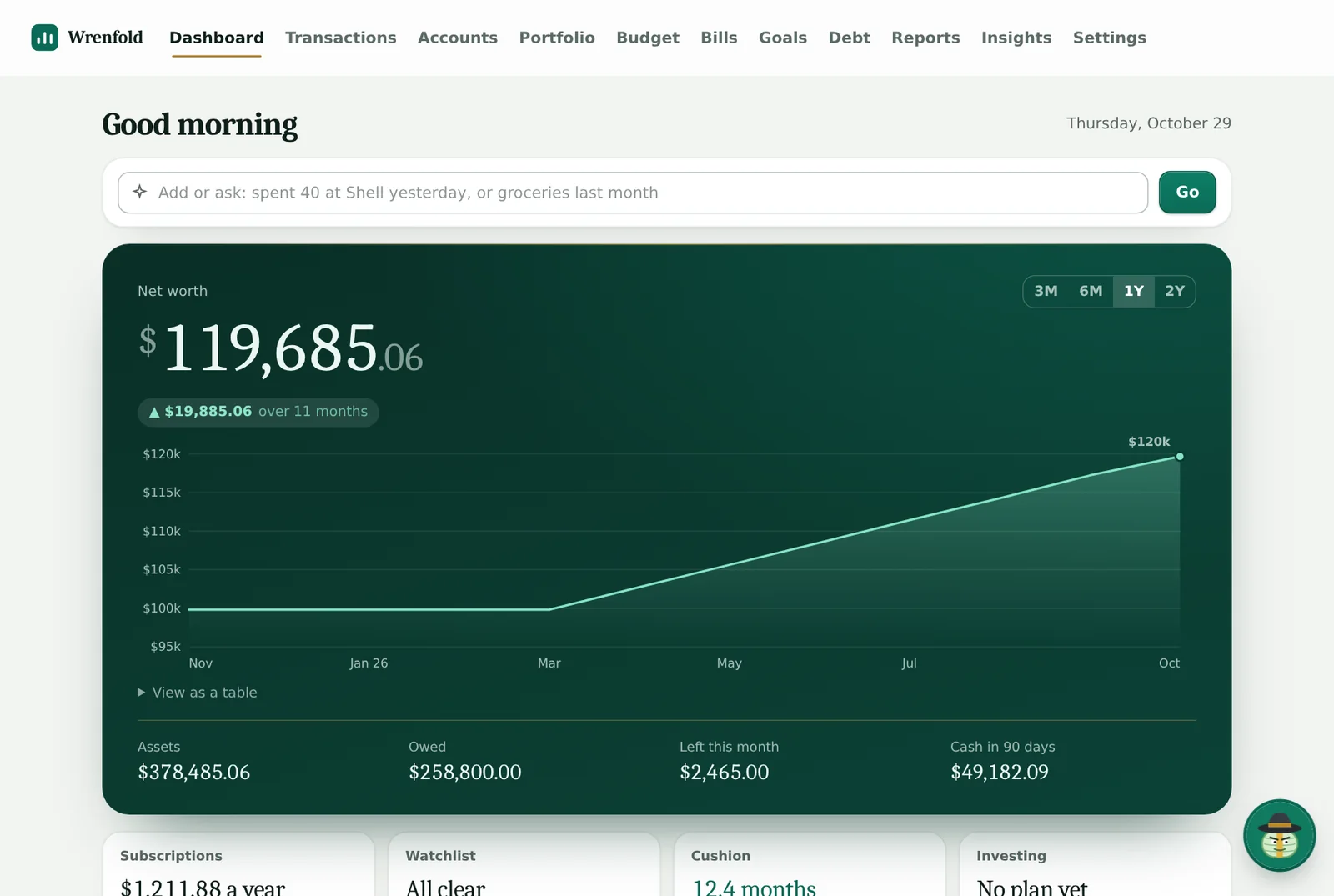
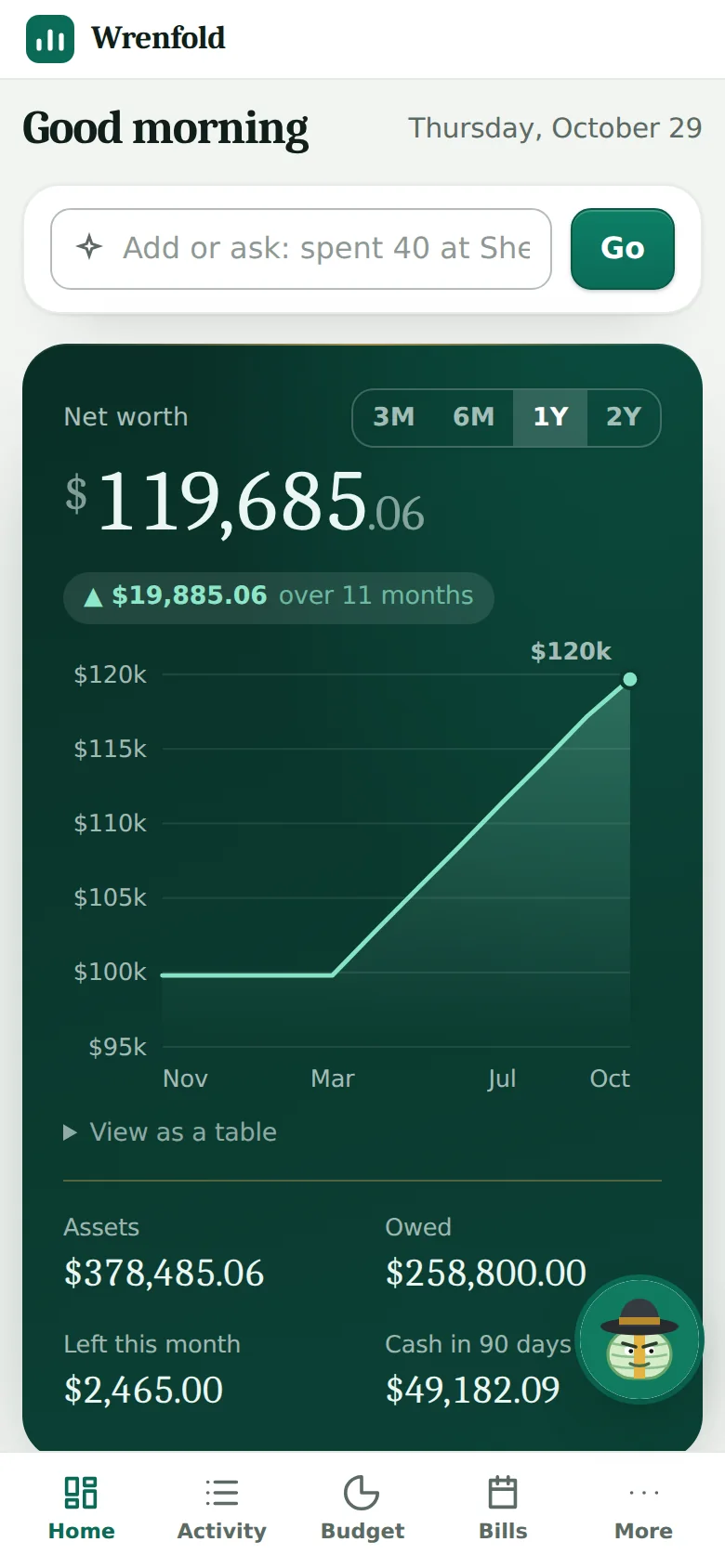
A walkthrough of the real app: the dashboard, budgets, importing, connecting your banks, bills and the year in review.
Plays from YouTube in privacy-enhanced mode, and only after you press play. Watch on YouTube.
Everything you check, in one place
Built for people who want a clear picture of their money without handing it to a company to hold.
- What is safe to spend One number for what is left this month after bills, goals and what you have already spent. You see it the moment you open the app.
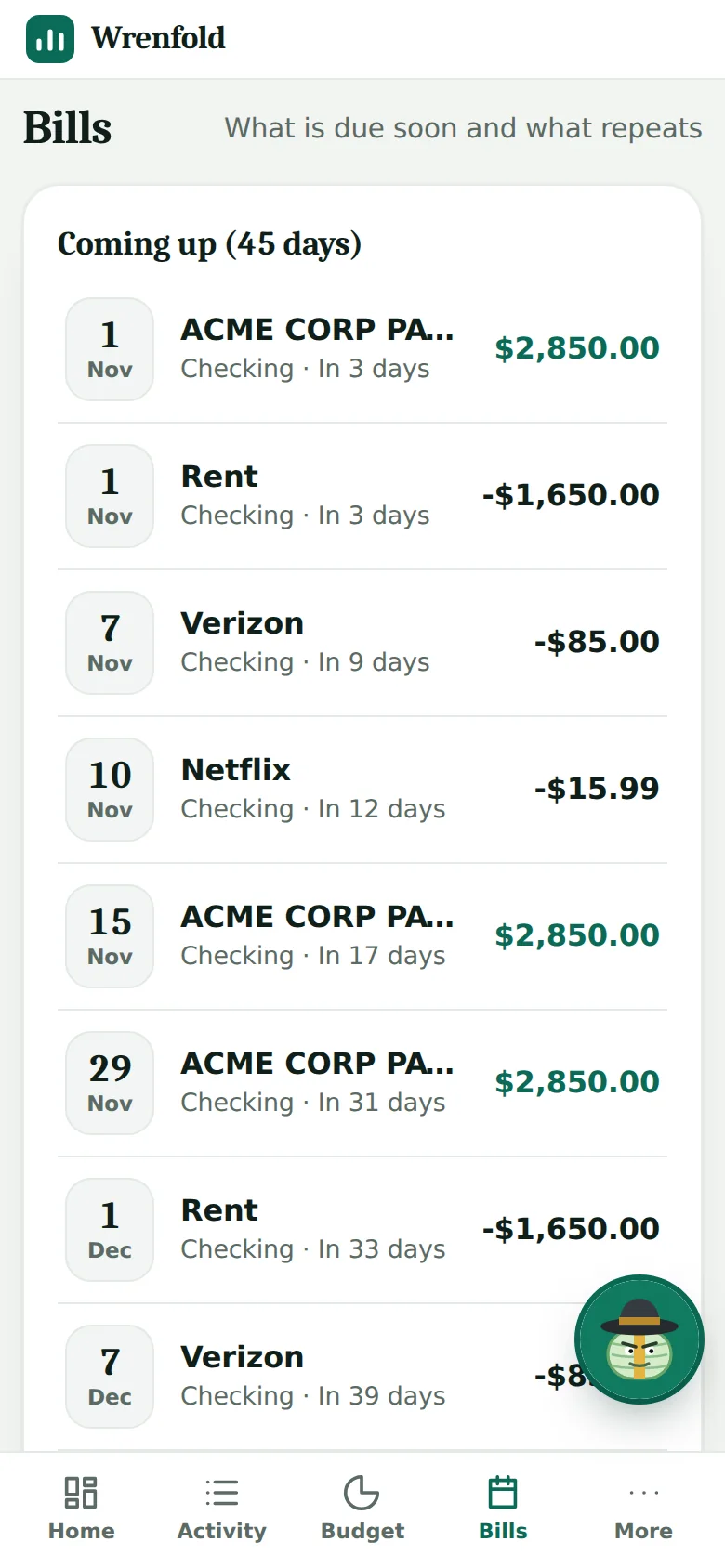
- Bills and paychecks that remind you Add what repeats and see what is due and when your balance will dip. On your iPhone it sends a reminder at 9am inside your warning window, with the amounts hidden unless you choose to show them.
- Type it like a text Write spent 40 at Shell yesterday, or move 200 from checking to savings, and it becomes a transaction you confirm. Ask groceries last month or biggest purchases this year and it answers from your own data. It works offline and uses no AI.
- Your banks, if you want them Link accounts through SimpleFIN Bridge and the app keeps balances and about nine months of transactions up to date. Or import a file from your bank. Duplicates are skipped and your rules categorize the rest.
- Investments with the tax math Every purchase is kept as a lot with what you paid. When you sell, choose which shares go first and see the gain, short-term or long-term, plus a possible wash-sale warning and a rough tax estimate for the year.
- Budgets, goals and a debt plan Plan the month and watch the spending. Track savings goals. Compare paying off debt by avalanche or snowball with extra payments, and see the balance fall month by month.
- Paulie, a guide in the corner A character with strong views on cash and subscriptions who answers questions about your numbers. The assistant runs on your own device after a one-time download, so your questions stay with you. It is not an advisor, and small AI models can make mistakes.
- Your data, whenever you want it Export everything to spreadsheets. Make an encrypted backup into the Files app and restore it after a reinstall; the app reminds you when it is time.
What we can see, and what we cannot
Most money apps work by holding your data on their servers. This one does not hold it at all.
Stays on your device
- Your accounts and balances
- Every transaction and category
- Budgets, bills, goals and debts
- Your holdings and cost basis
- Questions you ask the assistant
- Your backup files and passphrase
What reaches us
- Your email and order code, in a licence check about once a day
- If you turn on iPhone reminders: sealed messages we cannot open, held until they are due
- If you switch on the optional relay for bank linking: the request passes through our server and is not kept
Prices for stocks and coins come from public sources and only ticker names are sent. A hosted service can show you your accounts on any device; the price of this design is that you keep your own backups.
Pay once. Pay monthly only if you want the extras.
The app
Everything described above, for your iPhone and for Mac and Windows. Yours to keep, with no usage limits and no per-feature tiers.
Updates and support
New versions and fixes as they come out, and email support from the person who builds it, usually answered within one business day. Cancel any time and the app you have keeps working.
Your first year is $139 with updates and support, then $60 a year. Skip the monthly plan and it is $79, once. Subscription budgeting apps charge every month for as long as you use them and leave you with nothing when you stop.
Listed on

New to budgeting? Read the budgeting guides: the 50/30/20 rule, sinking funds, debt snowball vs avalanche and more, each with worked numbers.
Up and running in five minutes
- Buy it and open your access linkWe email it straight away. No account to create.
- On your iPhone, add it to your Home ScreenOpen the link in Safari, tap Share, then Add to Home Screen. On a computer, paste one install line and it opens in your browser.
- Bring your money inLink your banks, import a file, or add accounts by hand. A free trial of 60 entries is there to look around first.
- Set up your backupOne step makes a passphrase and sends your first encrypted backup to Files. After that it is one tap.
Good to know before you buy
- The iPhone version is a web app on your Home Screen, not an App Store app. Nothing about it depends on Apple's store.
- Your phone and your computer keep separate copies and do not sync. Moving between them takes an encrypted backup.
- There is no payroll, no tax filing and no investment trading. It tracks and plans; it does not move money.
Coming from another app?
See plain comparisons with other apps, including when another app fits better.
Questions
What do I get for the monthly fee?
New versions as they come out (new features, fixes, and changes when tax rules or figures change) and email support from the person who builds the app. We aim to answer within one business day. Support covers getting started, importing bank files, restoring a backup and how a screen works. It is not financial advice and not remote access to your phone or computer.
What if I stop paying the monthly fee?
The app you have keeps working, and your data stays yours. You stop getting updates and support. You can start the plan again from your access link whenever you like. The app checks in about once a day to confirm your licence; if it cannot reach us for about five weeks it turns read-only until it can, and your data is untouched.
Is my data really only on my device?
Your accounts, balances and transactions are stored in a file on your phone or computer. We never receive them. What we do see: your email and order code in a once-a-day licence check, and when you turn on iPhone reminders, sealed messages we cannot open, which we hold until the time they are due. Two optional features pass data through other services, and the page says which: linking a bank goes through SimpleFIN Bridge straight to your device, and prices for investments are fetched from public sources using only the ticker names.
Does it connect to my bank?
If you want it to. You can import the file your bank lets you download, or link SimpleFIN Bridge, a separate service you sign up for yourself. Your bank data goes from SimpleFIN to your device. Check their site for current cost and which banks they cover.
Will it work on my iPhone?
Yes. Open your access link in Safari and tap Add to Home Screen, and it runs like an app, with its own data. Bill reminders on the iPhone need iOS 16.4 or later. The on-device assistant needs iOS 26 or later. It is a web app, not an App Store app, so there is nothing to update from Apple.
Can I use it on my phone and my computer?
One purchase gives you the iPhone app and the Mac and Windows app. Each keeps its own copy of your data and they do not sync. To move your data, make an encrypted backup on one and restore it on the other.
What if I lose my phone or delete the app?
Make an encrypted backup into the Files app, which the app reminds you to do. After a reinstall, the first screen has Restore from a backup: choose the file and type your passphrase. Without a backup, deleting the app deletes your data, because we never have a copy.
Can I try it first?
Yes. Open the app in your browser without paying and add up to 60 entries.
Is this financial advice?
No. It is a record-keeping and planning tool. Forecasts and the debt planner are estimates from the numbers you enter, and the assistant is a character, not an advisor. Small AI models can make mistakes, so check what matters.
MCC Solutions is not a financial advisor, a CPA firm or a tax preparer. This software is for record-keeping and general information, not financial, tax or legal advice.